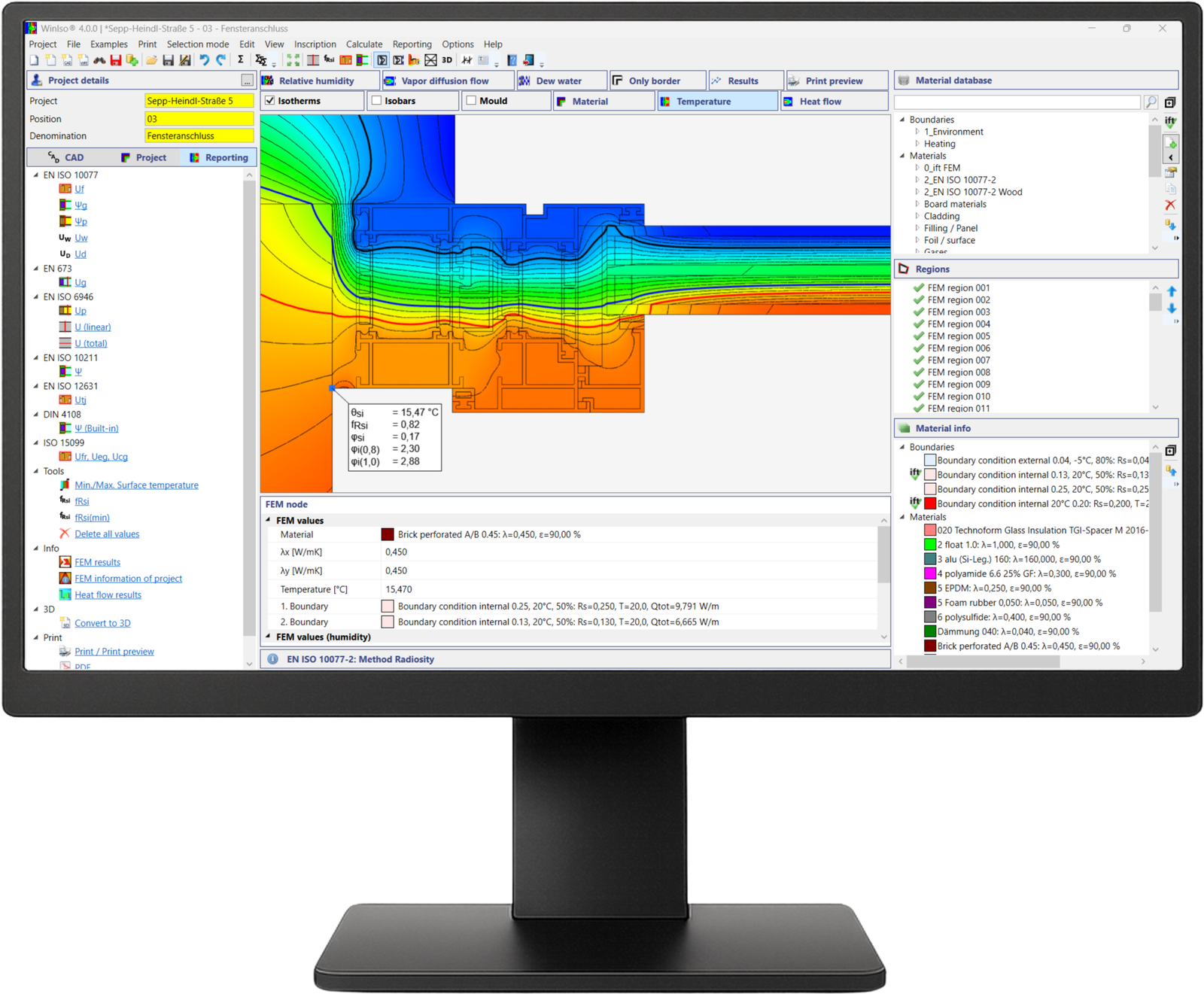
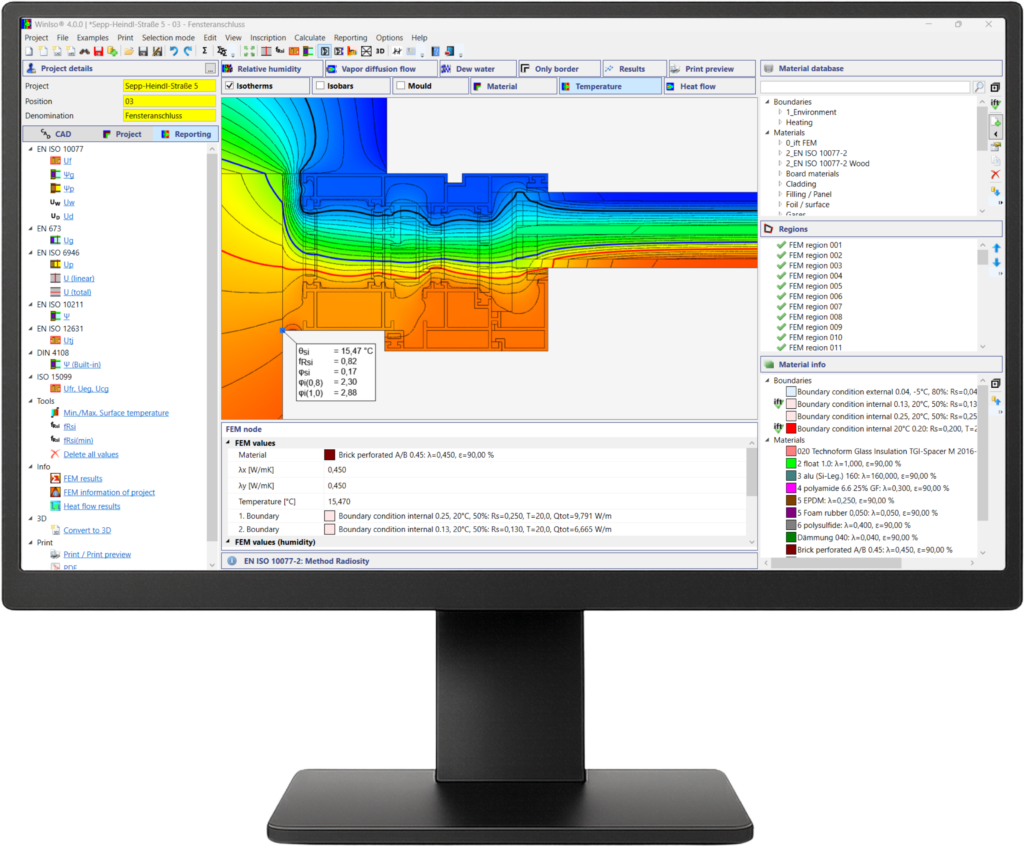
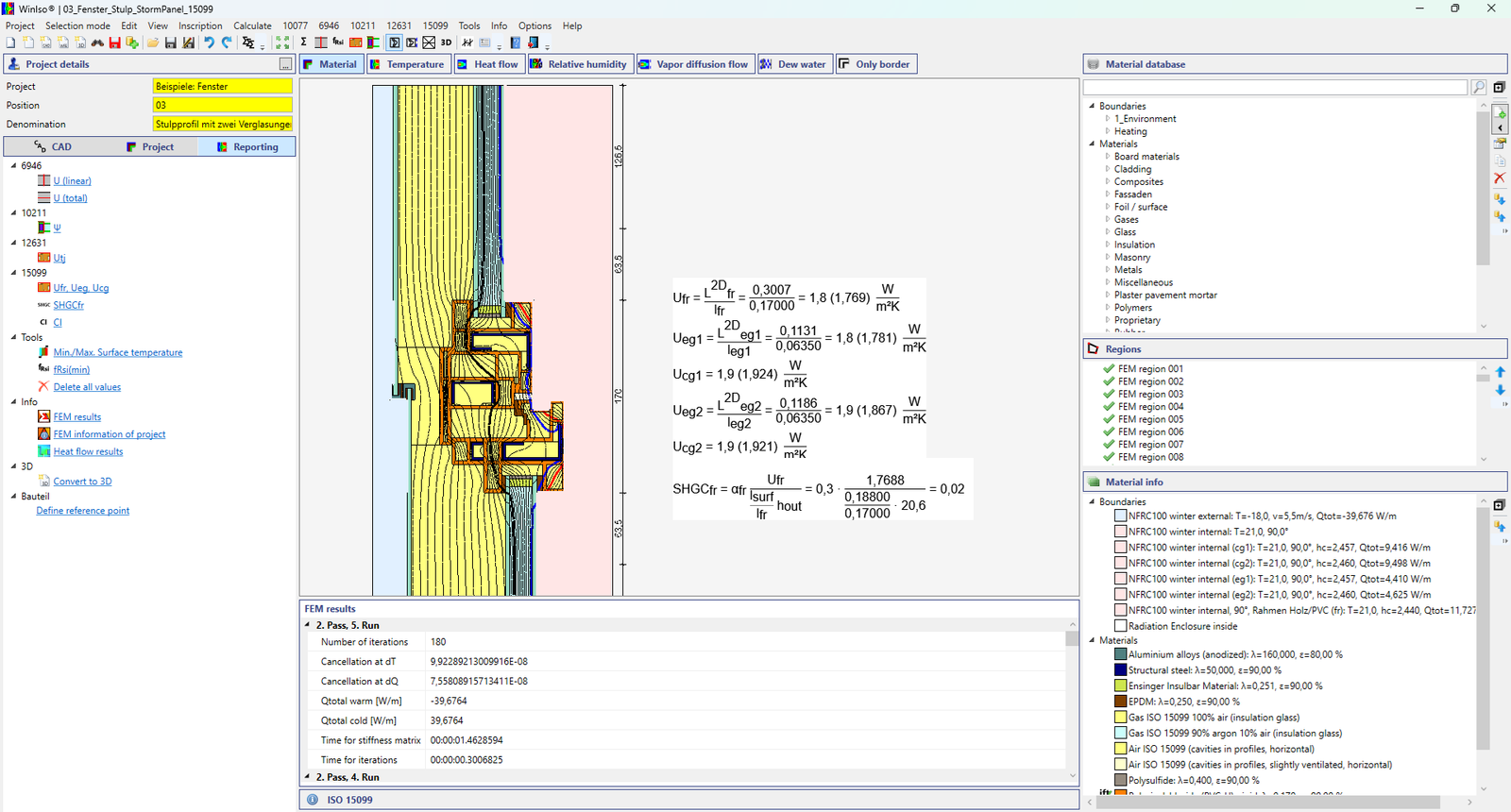
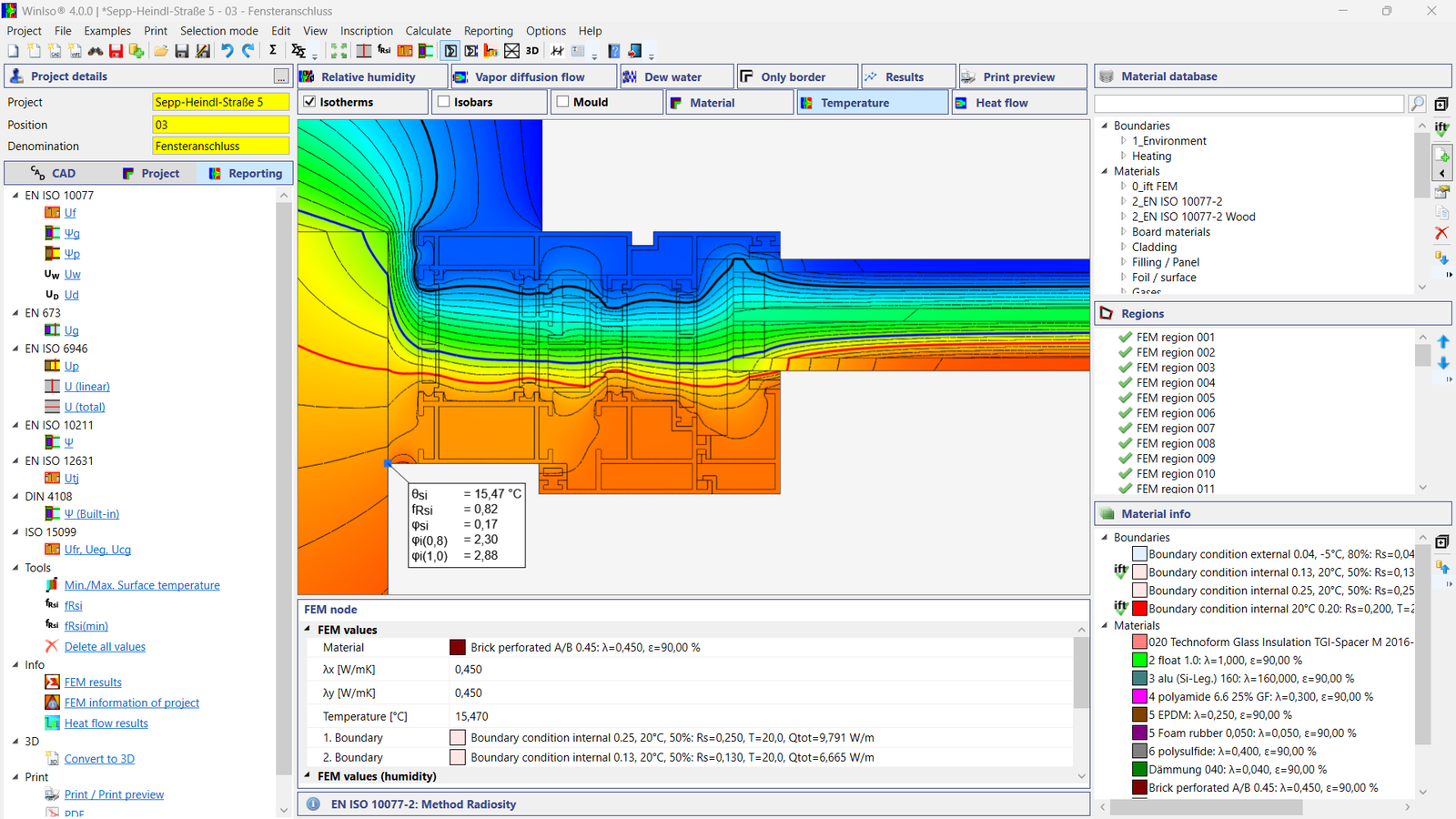
WINISO® 15099 supports the detailed thermal analysis of windows, doors and facade constructions using 2D and 3D finite element simulation. The software calculates Ufr / Ueg / Ucg, U-values, Uf-values, linear thermal transmittance Ψ and surface temperature factors, while also evaluating temperature distributions, isotherms and thermal bridges. CAD geometries can be imported directly via DWG/DXF, allowing complex constructions to be transferred efficiently into the calculation model. Results can be evaluated and documented in accordance with ISO 15099 and NFRC 100.
WINISO® 15099 supports the detailed thermal analysis of windows, doors and facade constructions using 2D and 3D finite element simulation. The software calculates Ufr / Ueg / Ucg, U-values, Uf-values, linear thermal transmittance Ψ and surface temperature factors, while also evaluating temperature distributions, isotherms and thermal bridges. CAD geometries can be imported directly via DWG/DXF, allowing complex constructions to be transferred efficiently into the calculation model. Results can be evaluated and documented in accordance with ISO 15099 and NFRC 100.
Thermal performance calculation for windows, doors and shading devices
Learn More
ISO 15099 defines calculation methods for the thermal performance of windows, doors and shading devices. It covers heat transfer through frame, glazing and edge regions and forms the basis for detailed thermal analysis of fenestration systems.
NFRC 100
U-factor calculation for fenestration products
Learn More
NFRC 100 specifies procedures for determining the U-factor of windows, doors and other fenestration products for the North American market. WINISO® supports calculation workflows based on the thermal methods required for these evaluations.
3D FEM Simulation
Three-dimensional thermal analysis using the finite element method
Learn More
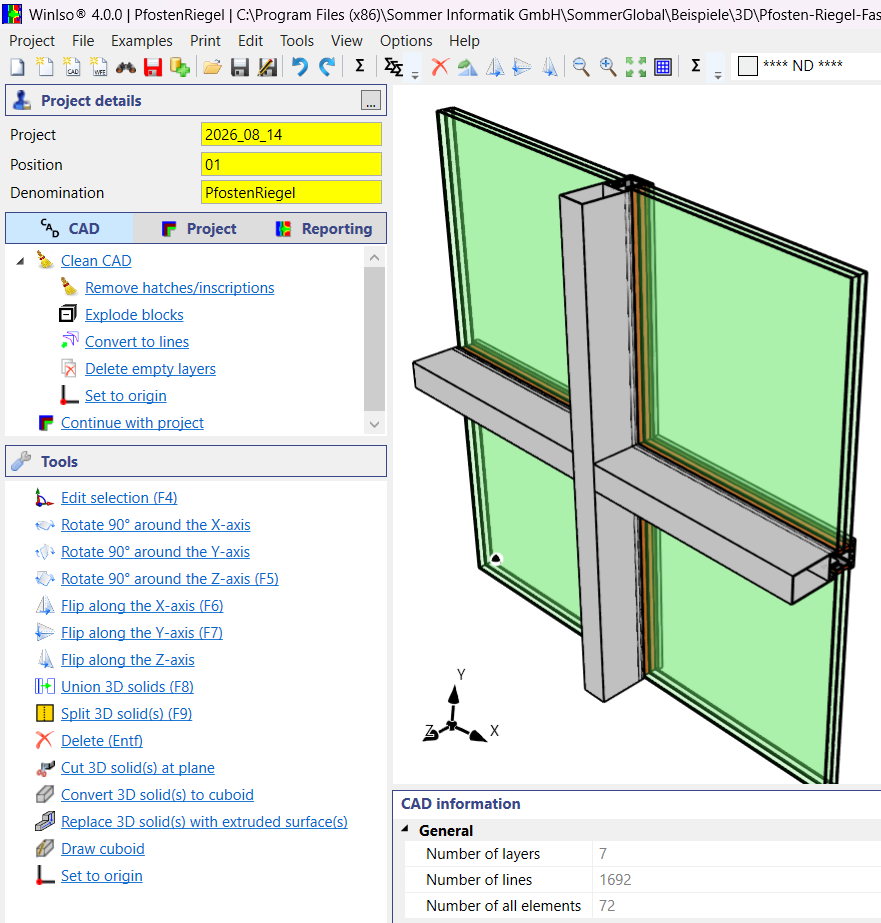
WINISO® 3D enables three-dimensional FEM analysis of thermal bridges and complex component details. 3D CAD geometries can be imported, edited and assigned with materials and boundary conditions before detailed evaluation of the results.
Standards & Methods
ISO 15099
Thermal performance calculation for windows, doors and shading devices
Learn More
ISO 15099 defines calculation methods for the thermal performance of windows, doors and shading devices. It covers heat transfer through frame, glazing and edge regions and forms the basis for detailed thermal analysis of fenestration systems.
NFRC 100
U-factor calculation for fenestration products
Learn More
NFRC 100 specifies procedures for determining the U-factor of windows, doors and other fenestration products for the North American market. WINISO® supports calculation workflows based on the thermal methods required for these evaluations.
3D FEM Simulation
Three-dimensional thermal analysis using the finite element method
Learn More
WINISO® 3D enables three-dimensional FEM analysis of thermal bridges and complex component details. 3D CAD geometries can be imported, edited and assigned with materials and boundary conditions before detailed evaluation of the results.
Use cases
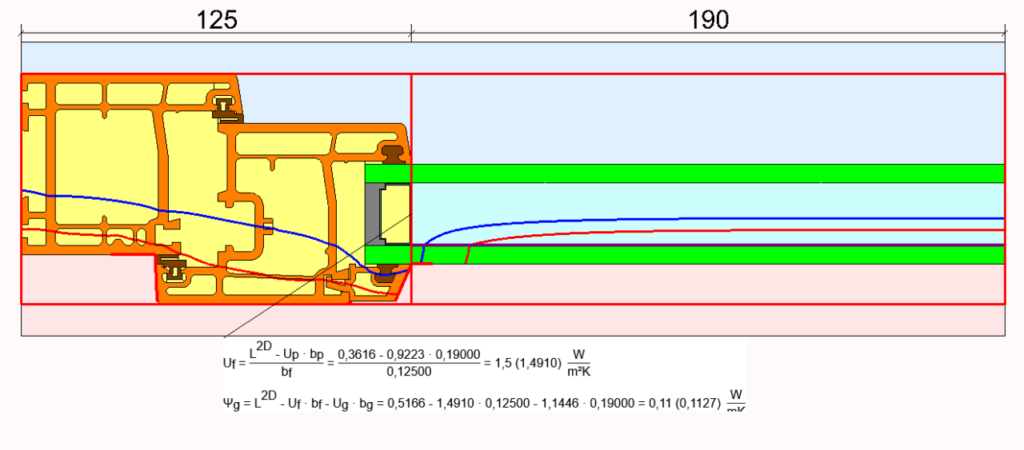
PVC Windows: Uf and ψg According to EN ISO 10077-2
Learn More
Calculation of the frame U-value (Uf) and the glazing-edge linear thermal transmittance (ψg) in accordance with EN ISO 10077-2 for a PVC window.
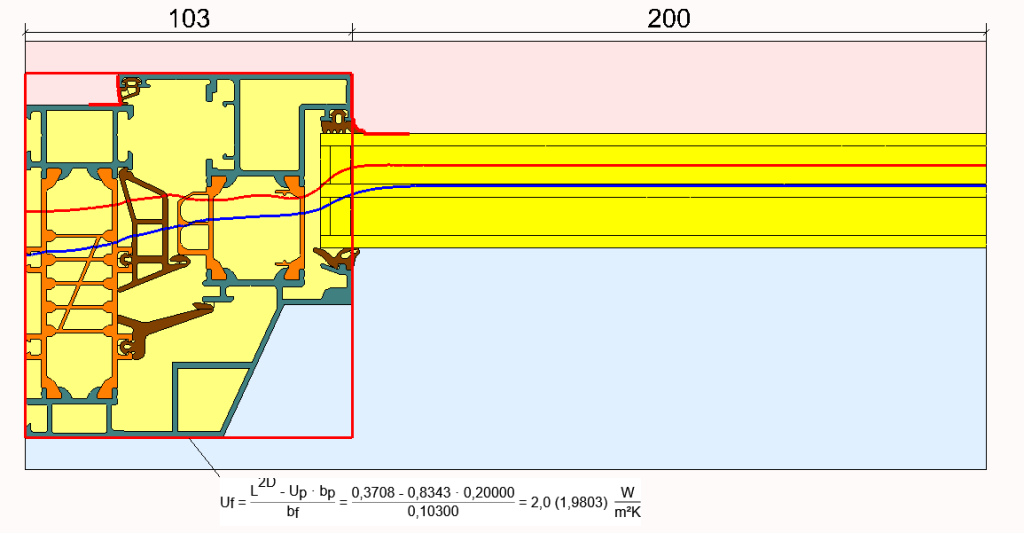
Aluminum Windows: In accordance with EN ISO 10077-2
Learn More
Calculation of the frame U-value (Uf) in accordance with EN ISO 10077-2 for an aluminum window profile.
Window Installation: ψ and fRsi Values
Learn More
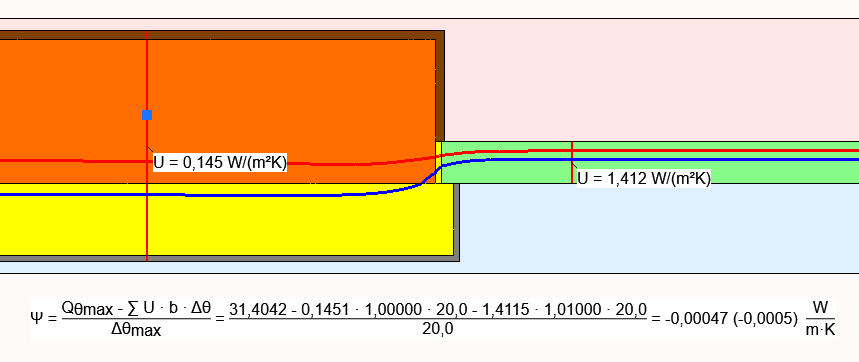
Calculation of the psi (Ψ) value of the installation junction and the temperature factor fRsi.
Window Installation: Moisture
Learn More
2D moisture analysis in accordance with DIN 4108-3.
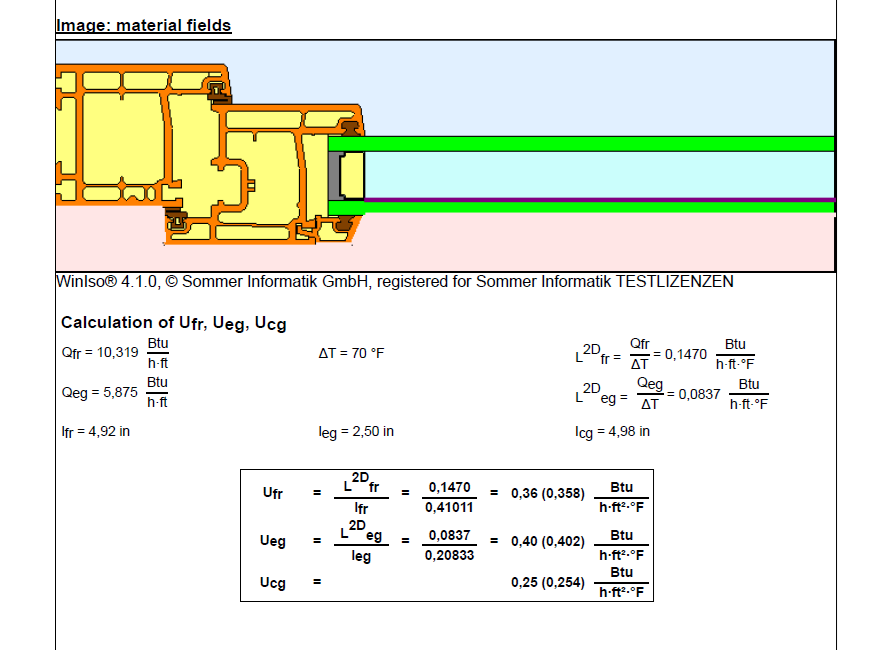
Window: U-value calculation according to ISO 15099
Learn More
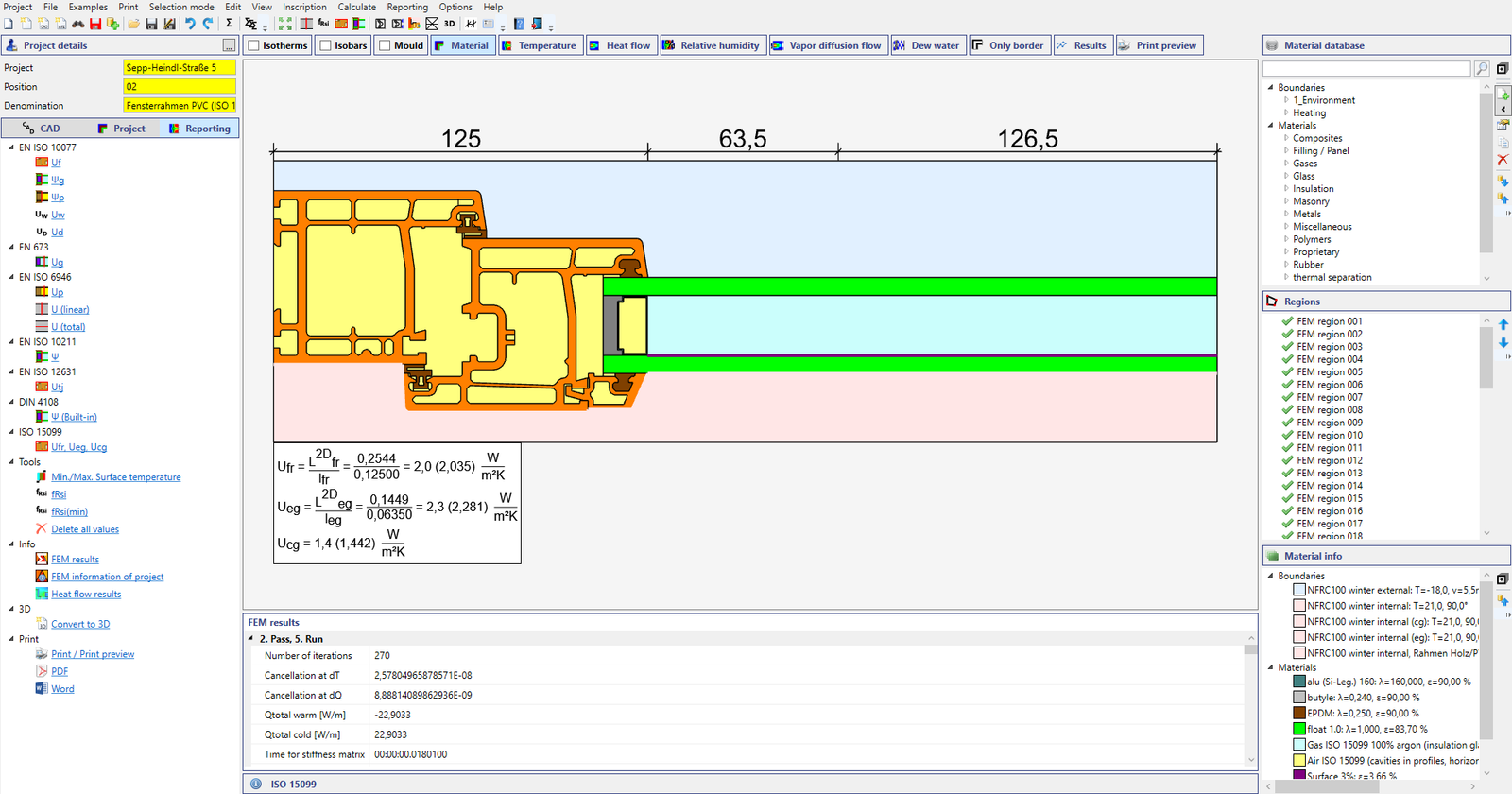
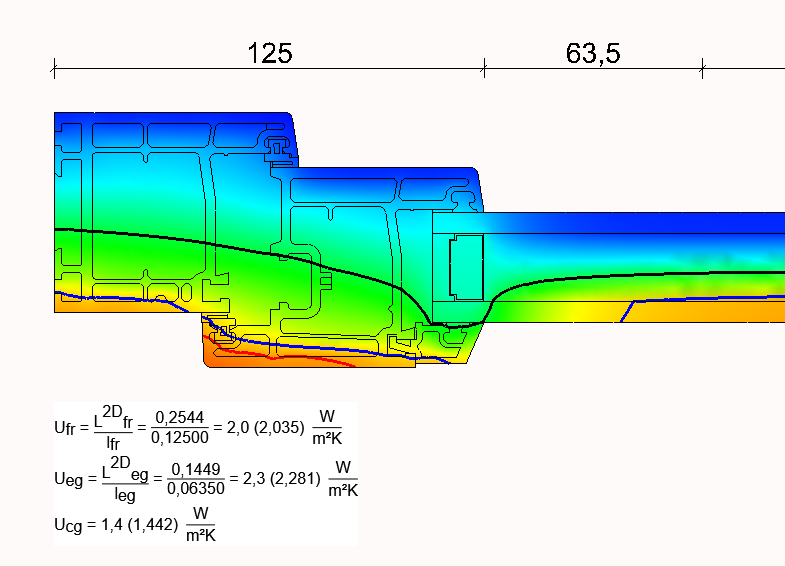
Calculation of the Ufr, Ueg, and Ucg values for the Uw zone model in accordance with ISO 15099. The boundary conditions are defined according to NFRC requirements.
Import & Clean Up CAD Data
Learn More
WINISO® 3D imports CAD data in DWG, DXF, and STEP formats. Integrated CAD preparation tools ensure a seamless transition from CAD geometry to the FEM.
Window: Glazing bars in the space between the panes
Learn More
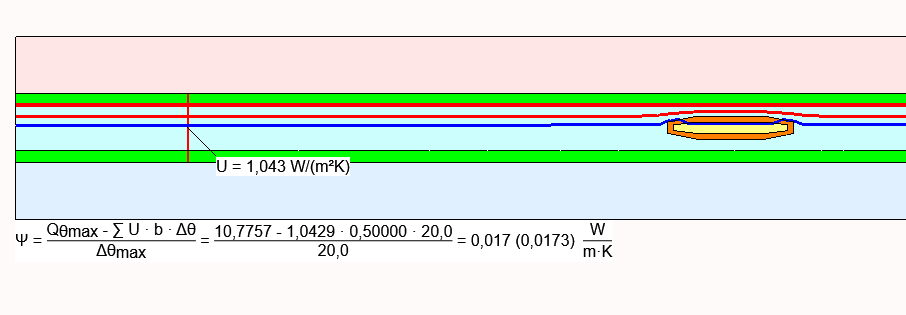
Thermal bridge calculation for a glazing bar between the panes in accordance with ISO 10211.
Window: Flying Mullion Profile with Two Glazing Units
Learn More
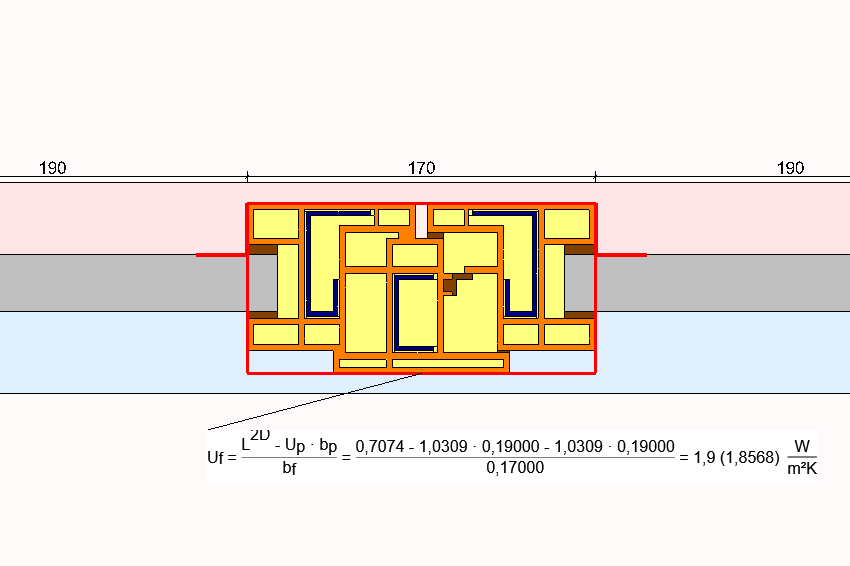
Automatic calculation of the Uf value of a flying-mullion profile incorporating two glazing units.
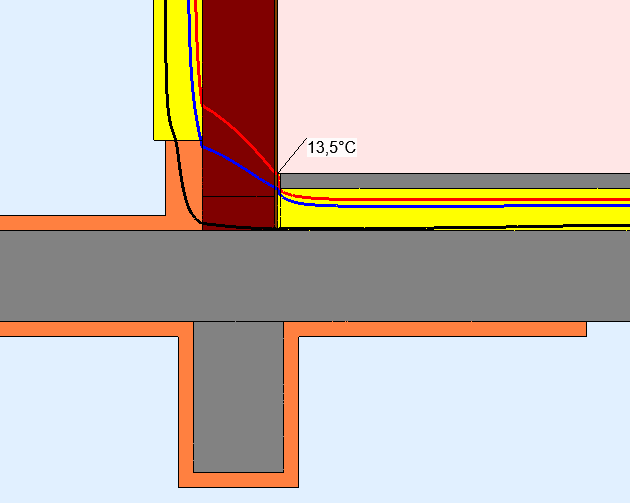
Verification that a beam beneath an underground parking garage slab remains free of condensation in accordance with DIN 4108 Beiblatt 2.
Use cases
PVC Windows: Uf and ψg According to EN ISO 10077-2
Learn More
Calculation of the frame U-value (Uf) and the glazing-edge linear thermal transmittance (ψg) in accordance with EN ISO 10077-2 for a PVC window.
Aluminum Windows: In accordance with EN ISO 10077-2
Learn More
Calculation of the frame U-value (Uf) in accordance with EN ISO 10077-2 for an aluminum window profile.
Window Installation: ψ and fRsi Values
Learn More
Calculation of the psi (Ψ) value of the installation junction and the temperature factor fRsi.
Window Installation: Moisture
Learn More
2D moisture analysis in accordance with DIN 4108-3.
Window: U-value calculation according to ISO 15099
Learn More
Calculation of the Ufr, Ueg, and Ucg values for the Uw zone model in accordance with ISO 15099. The boundary conditions are defined according to NFRC requirements.
Import & Clean Up CAD Data
Learn More
WINISO® 3D imports CAD data in DWG, DXF, and STEP formats. Integrated CAD preparation tools ensure a seamless transition from CAD geometry to the FEM.
Window: Glazing bars in the space between the panes
Learn More
Thermal bridge calculation for a glazing bar between the panes in accordance with ISO 10211.
Window: Flying Mullion Profile with Two Glazing Units
Learn More
Automatic calculation of the Uf value of a flying-mullion profile incorporating two glazing units.
Verification that a beam beneath an underground parking garage slab remains free of condensation in accordance with DIN 4108 Beiblatt 2.
Software Gallery
See Your Results
Temperature fields
Heat Flow
Isotherms
Performance values
Professional reports
Software Gallery
See Your Results
Temperature fields
Heat Flow
Isotherms
Performance values
Professional reports
View Your Projects Online
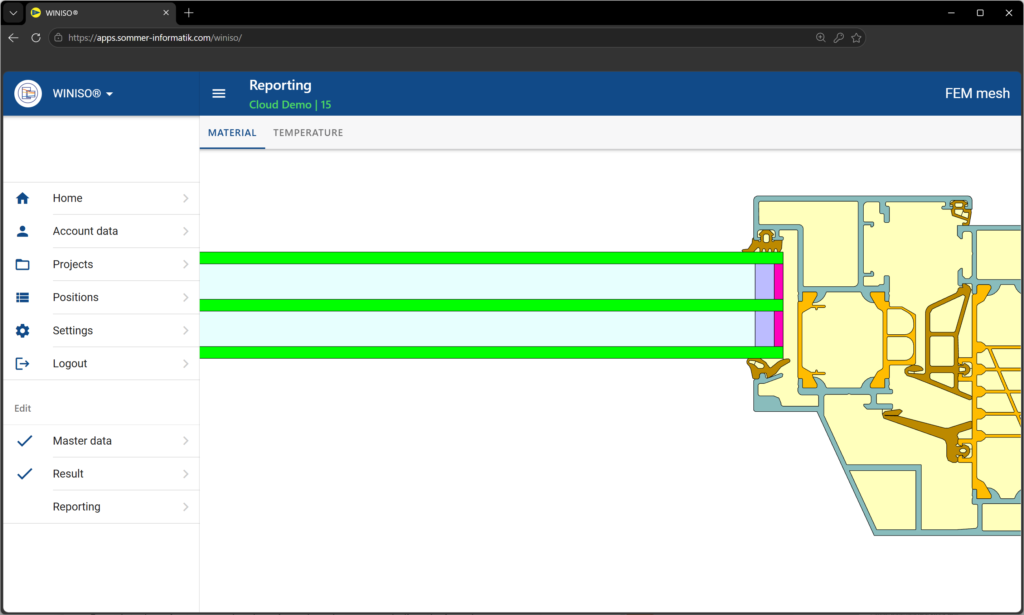
Use the WINISO® Online Viewer directly in your browser without any local installation. The viewer allows you to easily view and present WINISO projects, calculation results, and models. The desktop version is still required for editing and performing calculations.
View Your Projects Online
Use the WINISO® Online Viewer directly in your browser without any local installation. The viewer allows you to easily view and present WINISO projects, calculation results, and models. The desktop version is still required for editing and performing calculations.
WINISO® 2D 15099 enables two-dimensional FEM calculation of window and facade details according to ISO 15099 / NFRC 100. CAD geometries can be imported, supplemented with materials and boundary conditions, and then evaluated in detail. This version is therefore particularly suitable for calculations in accordance with North American standards.
What values can be calculated with WINISO®?
WINISO® calculates relevant thermal performance values for windows, facades and glazing systems, including frame, edge-of-glazing and center-of-glazing values. Temperature distributions, heat flows, isotherms and surface temperatures can also be evaluated.
Can CAD files be imported into WINISO®?
Yes. Existing CAD geometries can be imported into WINISO® and prepared directly for thermal simulation. Materials, cavities and boundary conditions can then be assigned before the FEM calculation is performed. Supported formats are DWG, DXF and STEP.
Is a free trail available?
A free trial version of WINISO® is available. Simply fill out the request form, and we will send you a download link.
FAQs
What can you do with WINISO®?
WINISO® 2D 15099 enables two-dimensional FEM calculation of window and facade details according to ISO 15099 / NFRC 100. CAD geometries can be imported, supplemented with materials and boundary conditions, and then evaluated in detail. This version is therefore particularly suitable for calculations in accordance with North American standards.
What values can be calculated with WINISO®?
WINISO® calculates relevant thermal performance values for windows, facades and glazing systems, including frame, edge-of-glazing and center-of-glazing values. Temperature distributions, heat flows, isotherms and surface temperatures can also be evaluated.
Can CAD files be imported into WINISO®?
Yes. Existing CAD geometries can be imported into WINISO® and prepared directly for thermal simulation. Materials, cavities and boundary conditions can then be assigned before the FEM calculation is performed. Supported formats are DWG, DXF and STEP.
Is a free trail available?
A free trial version of WINISO® is available. Simply fill out the request form, and we will send you a download link.
Ready to Start?
Try WINISO® 15099 now and experience an efficient workflowfrom thermal calculation to professional result!